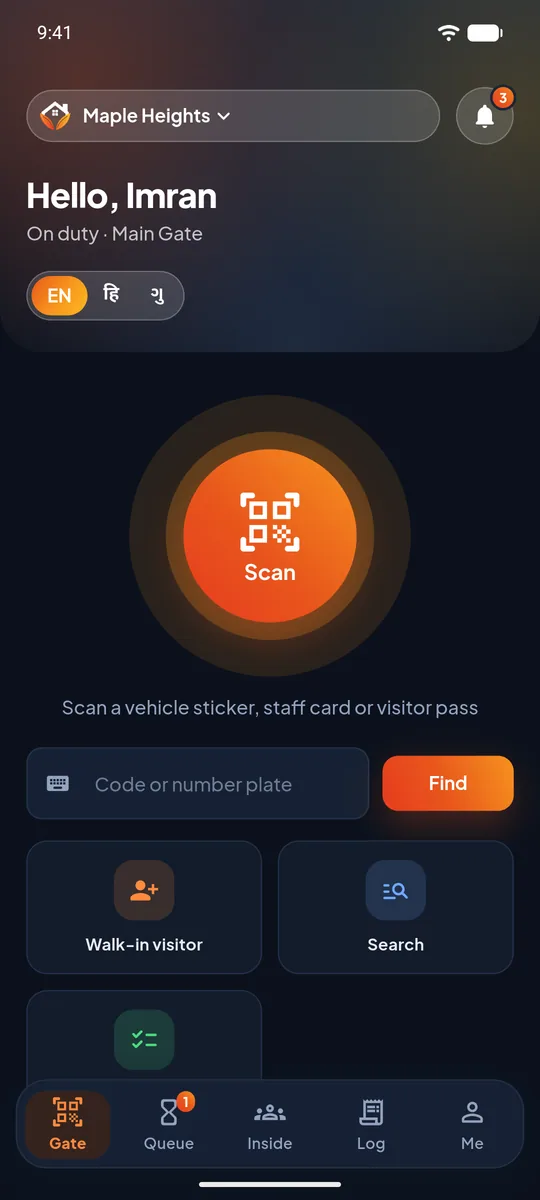
Visitor approval
The resident decides, from their phone, who comes in. Guests, deliveries, cabs and service staff each have their own flow.
Learn more about visitor approvalUrbanGate puts your gate, your guards, your residents and your society office on one app. A visitor's request rings on the resident's phone like a call, an SOS alarms every guard, and every maintenance payment gets its own receipt.
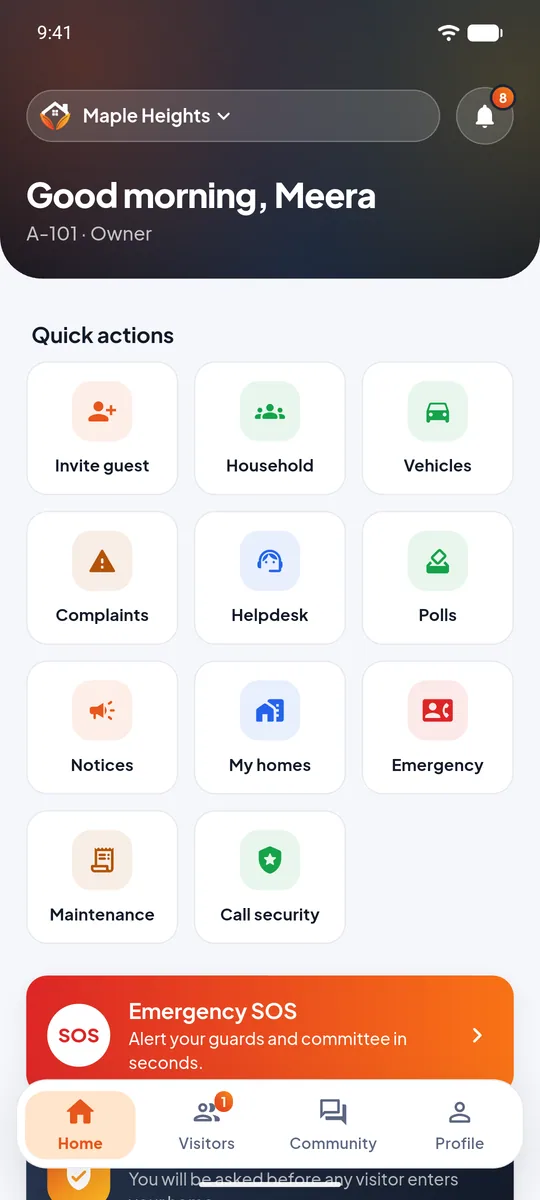
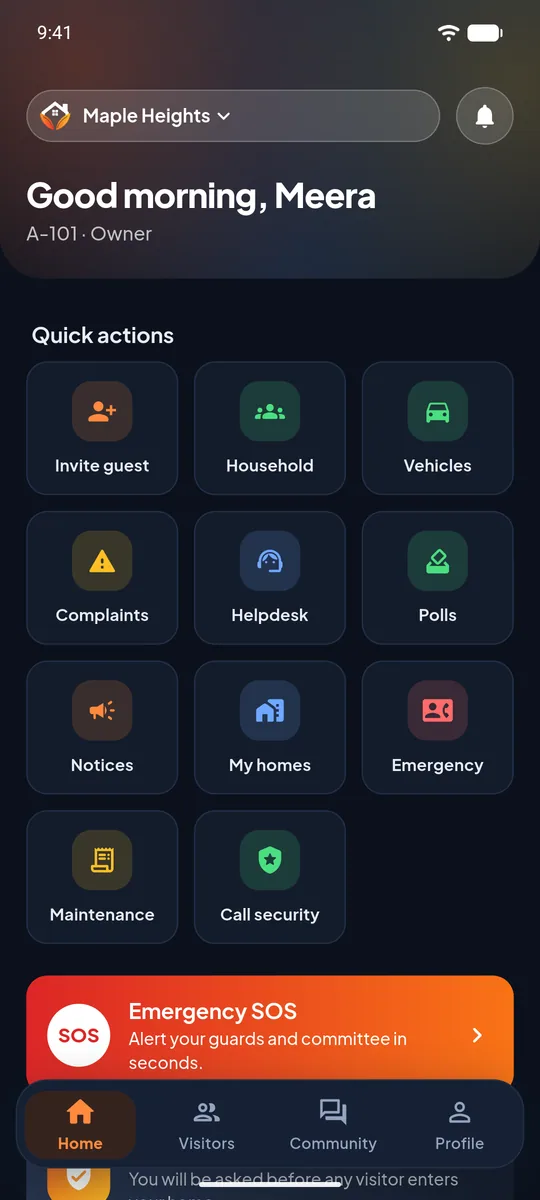
UrbanGate is an all-in-one society management app that makes visitor management, security, resident communication, emergency SOS alerts, and maintenance payments simple and hassle-free.
One app for your entire society.
UrbanGate is society management software for apartments, row houses and gated communities in India. It replaces the visitor register, the WhatsApp group for emergencies and the spreadsheet of dues with one connected system that every person in the society can use from a phone.
Know who is at your gate, see what you owe and reach help in seconds.
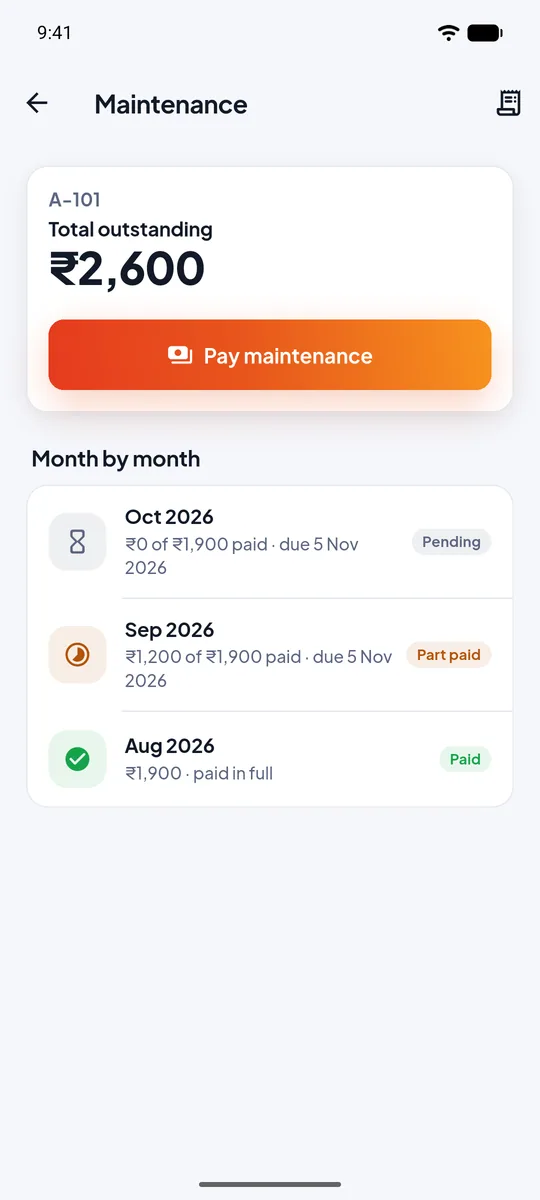
Large buttons, three languages and nothing that gets in the way at a busy gate.
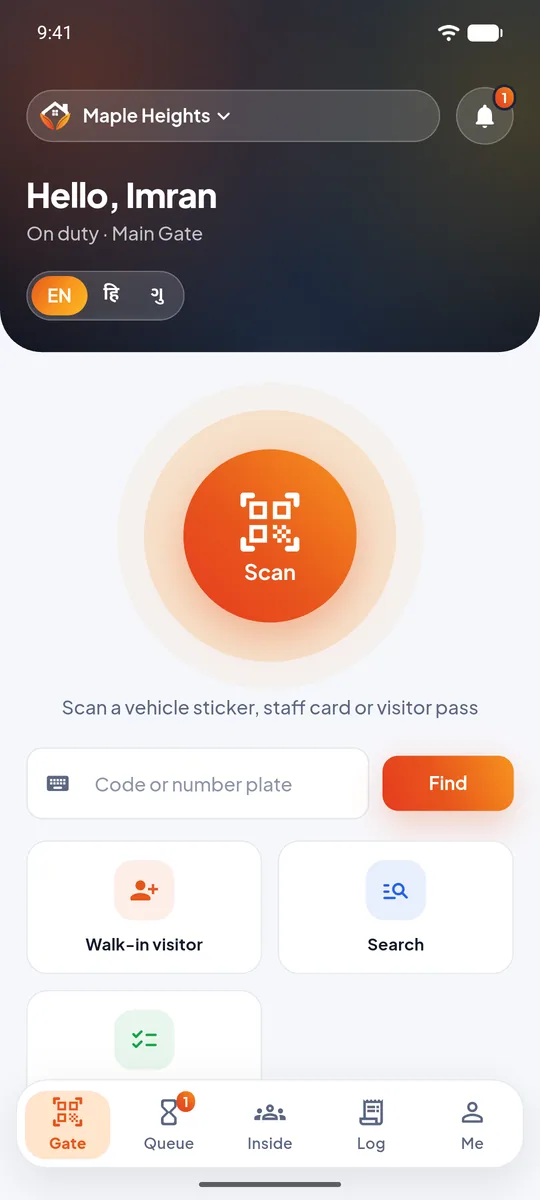
Run billing, approvals and gate activity from the office app on your phone or the web panel on a big screen, with a record of every change.
Each part works on its own and fits with the others. A visitor, a payment or an alarm is recorded once and every person who needs it sees it.
The resident decides, from their phone, who comes in. Guests, deliveries, cabs and service staff each have their own flow.
Learn more about visitor approvalScan passes and vehicle stickers, register walk-ins with a photo, and see who is inside. Built for a guard standing at a gate.
Learn more about gate and guard toolsOne press raises a full-screen alarm on every guard's phone, with the type of emergency, the flat and a call button.
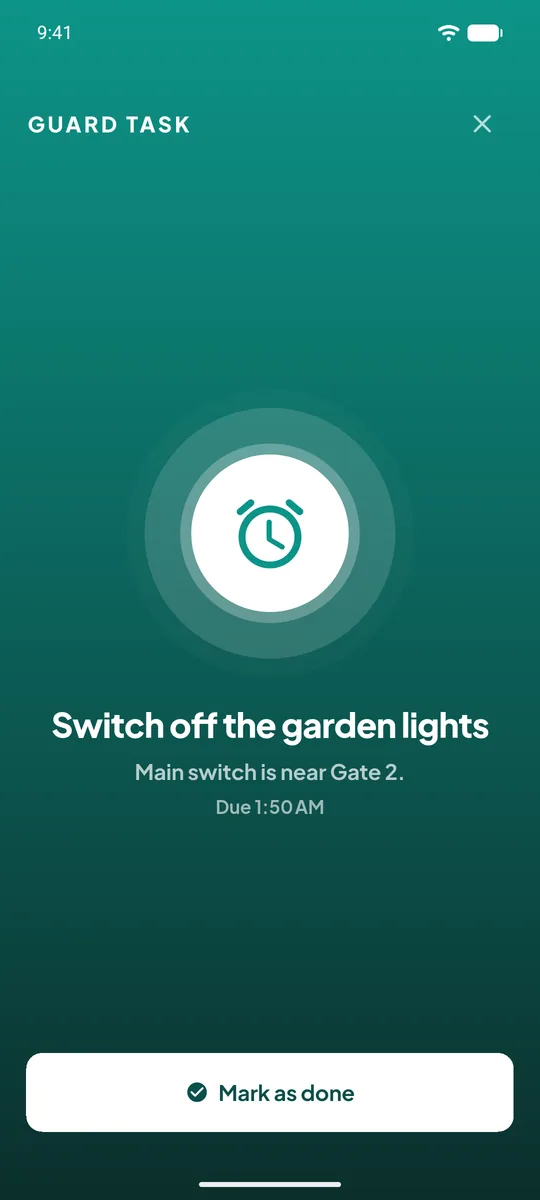
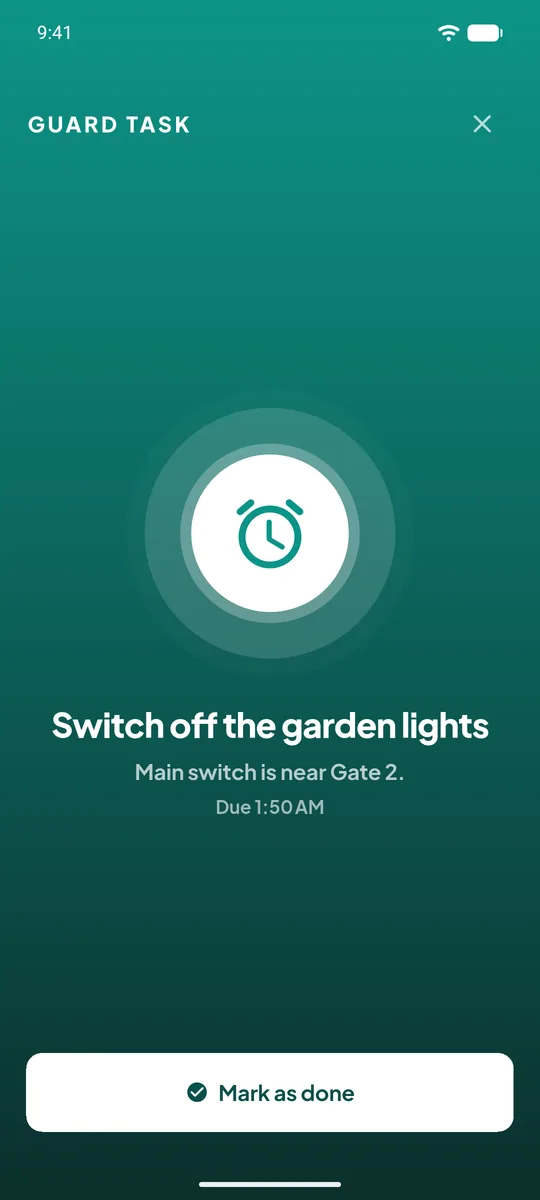
Learn more about SOS alertsTimed tasks such as pump off, lights off or a gate check. They ring until done, and the office is told if nobody does them.
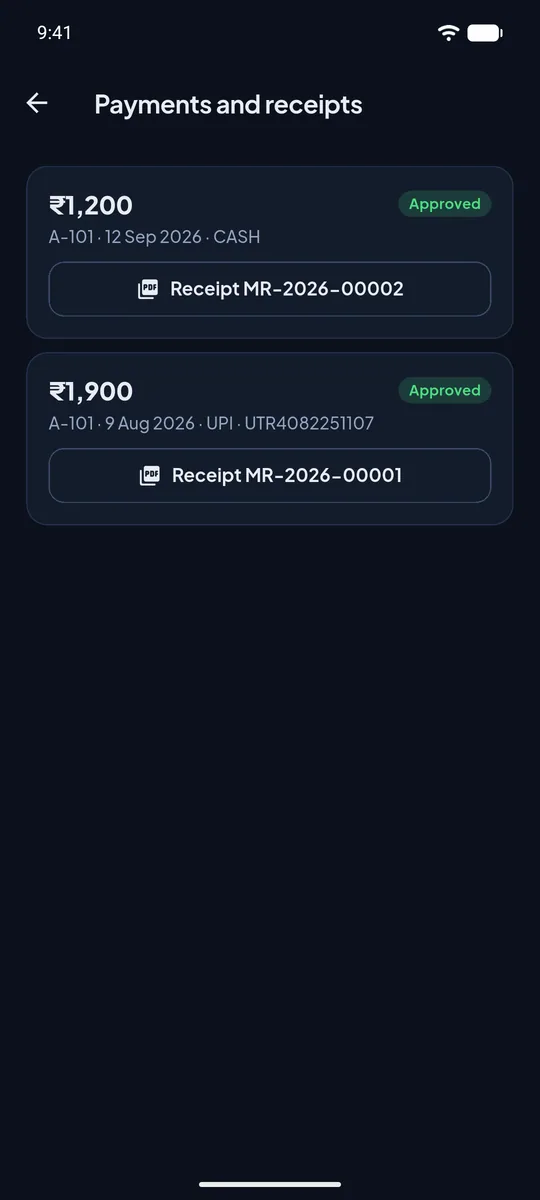
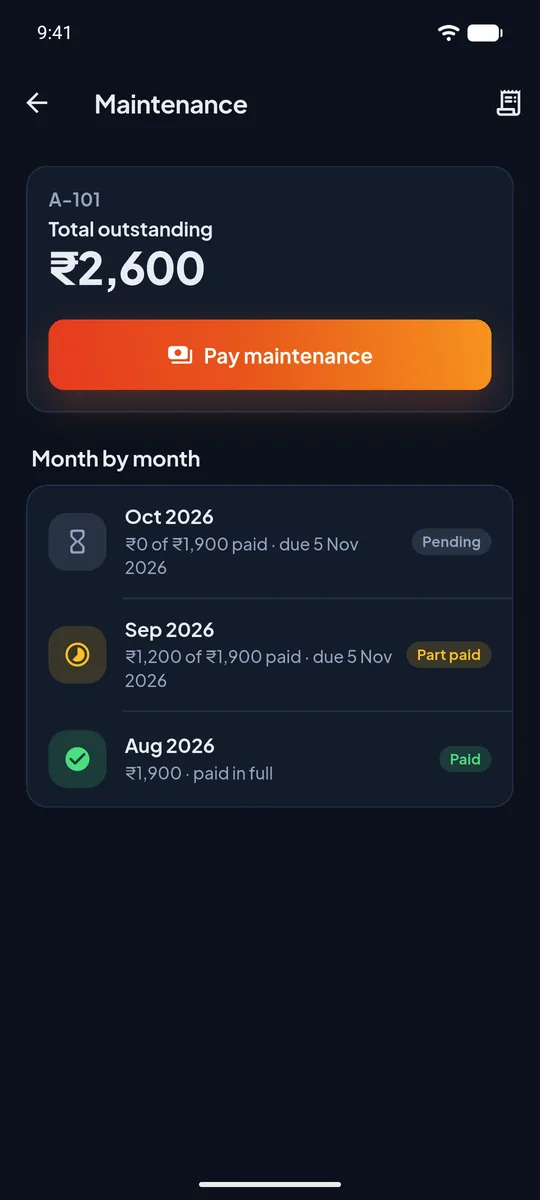
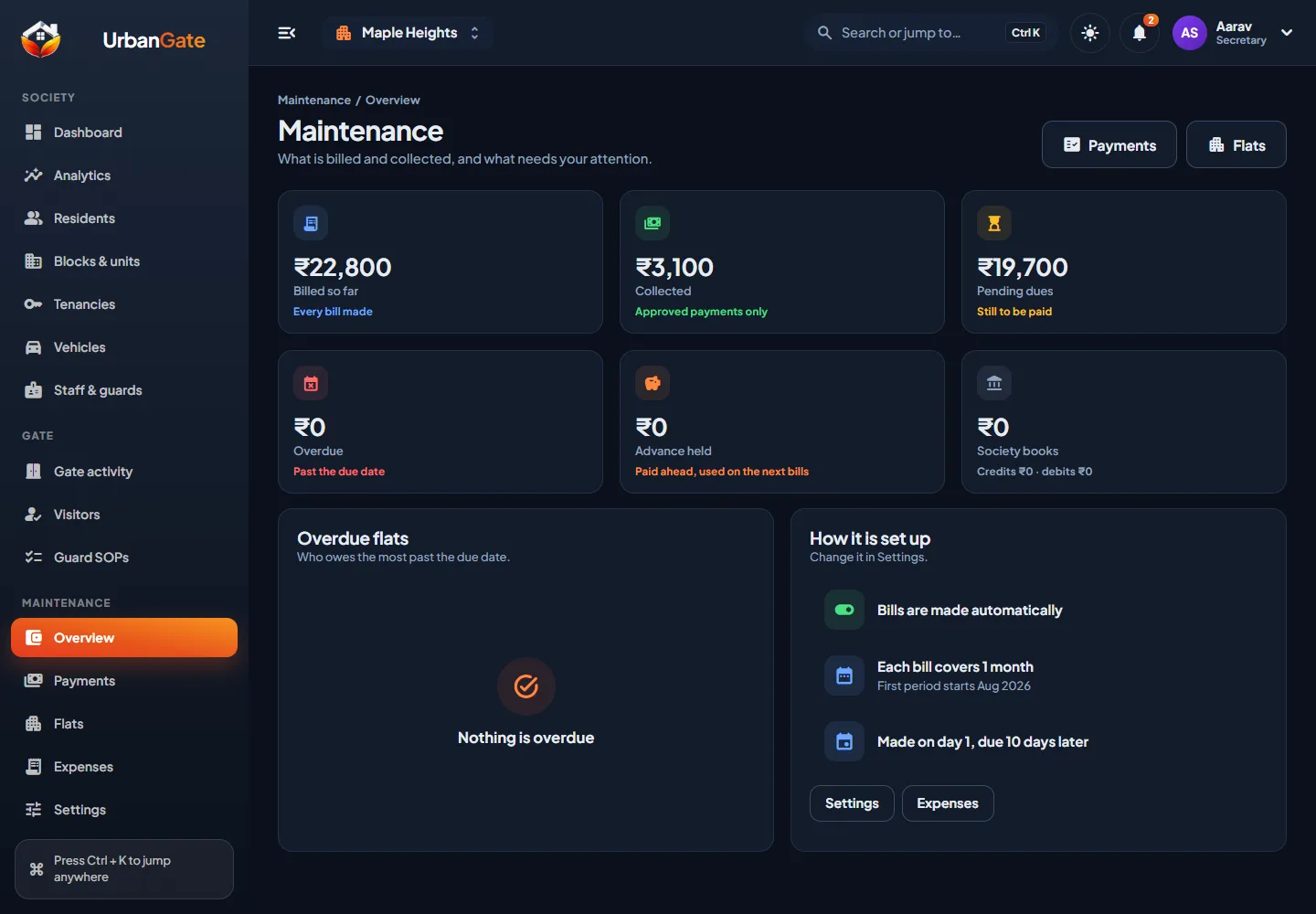
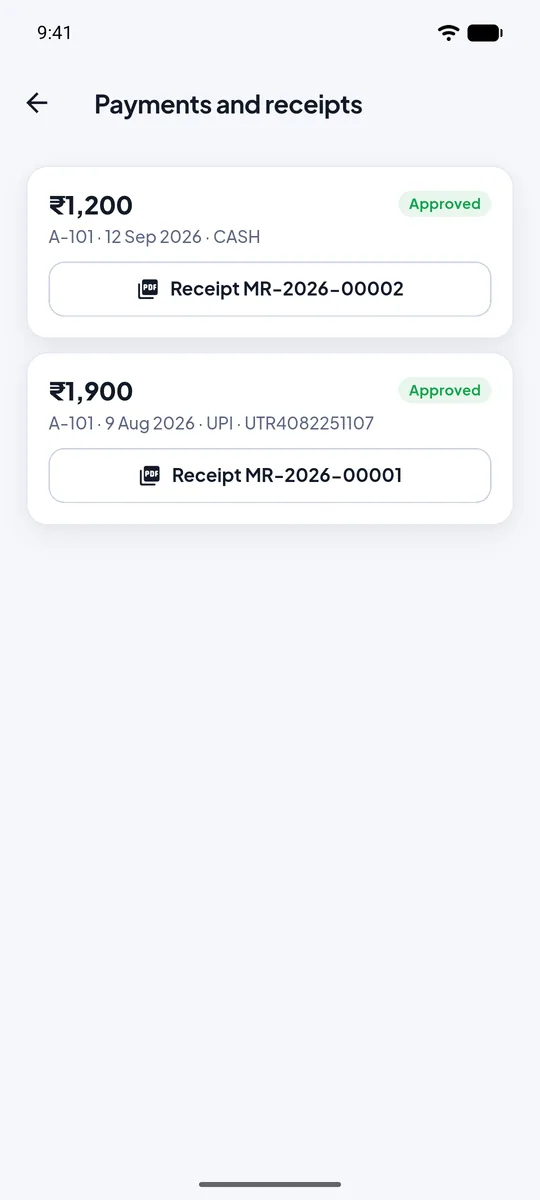
Learn more about guard tasks (SOP)Bills per flat, payments approved by the office, oldest dues paid first and a PDF receipt for every approved payment.
Learn more about maintenance dues and receiptsAnnounce, ask the society to vote, and track complaints and requests until they are closed.
Learn more about notices, polls and helpdeskResident vehicles with insurance and PUC reminders, and records for domestic and society staff.
Learn more about vehicles and staffGuards can switch between English, Hindi and Gujarati. People who live or work in more than one society use one login.
The committee works from the office app on a phone or the web panel on a big screen: residents, flats, gate activity, dues, receipts, expenses and an audit log of who did what.
Learn more about app and web panel for the officeUrbanGate is a visitor management system, a gate security app, an emergency alert system and maintenance billing software for housing societies, all in one app. Here is what each part does.
By scanning a pre-approved pass, or by adding a walk-in with name, number, purpose and a photo.
A full-screen request opens, even on a locked phone, with the visitor's name, photo and purpose.
Allow, decline, or leave a delivery at the gate. If nobody answers, the guard can call the flat.
The guard sees the answer at once, and the entry stays in the society's history for the office.
Bills are made on the day your society chooses, for one month or several. Owners report cash or UPI payments, and the office approves each one before it counts.
An SOS and a guard task both open full screen with their own sound, even when the phone is locked and the app is closed.
A one-time code is sent to the registered mobile number. There is no password to leak.
Each society's data is kept apart. Committee members get permissions for exactly the work they do.
Approvals, payments, reversals and settings changes are recorded with who did them and when.
UrbanGate does not read your phone's location. Camera and microphone are used only when you take a photo or dictate.
Payments are recorded, not processed. UrbanGate does not store card or bank login details.
Ask to delete your account at any time. See what is deleted and what must be kept on the deletion page.
| Everyday job | Paper register and chat groups | UrbanGate |
|---|---|---|
| Letting a visitor in | The guard phones the flat, if it is picked up. | The resident's phone rings and they answer in the app. |
| An emergency | A message in a group that people may not see. | A full-screen alarm on every guard's phone. |
| A job at a fixed time | Someone remembers, or does not. | The guards' phones ring until one marks it done. |
| Collecting maintenance | A spreadsheet and handwritten receipts. | Bills, approvals, oldest-first allocation and PDF receipts. |
| Knowing who did what | Memory and scattered notes. | A record of entries, approvals and changes. |
Take 12 months and get 3 months free. Every resident, guard and committee member of the society is included.
UrbanGate is society management software for apartments and gated communities in India. It is an app for residents and security guards plus a web panel for the society office, covering visitor approval, gate security, SOS alerts, guard tasks, maintenance dues with receipts, notices, polls and helpdesk.
Apartment societies, row-house colonies and gated communities. Residents, security guards and committee members each get their own experience, and one person can belong to more than one society.
The guard registers the visitor at the gate by scanning a pass or adding a walk-in. The resident's phone then rings with a full-screen request, even when the phone is locked. The resident can allow, decline or ask the guard to leave a delivery at the gate, and the guard sees the answer straight away.
Every guard of that society, and the committee members who handle SOS, get a full-screen alarm with the type of emergency, the person's name, the flat and any message. They can call the person, say they are responding or ignore it. The first responder is shown to the others, and the person who raised it is told help is on the way.
Guard tasks are jobs the society office sets for a time of day, such as switching off the water tank pump or the garden lights. At that time the guards' phones ring with their own alarm sound until one guard marks the task done. If nobody does, it rings again a few times, then the task is recorded as missed and the office is told.
The office sets an amount for each flat and chooses whether a bill covers one month or several, up to twelve, and on which day of the month it is made. Bills are made automatically and owners are notified. An owner reports a cash or UPI payment, the office checks it and approves it, and only then does it count. Payments are set against the oldest dues first, and extra money is kept as advance for the next bill.
Maintenance dues belong to the flat's owner, so only the owner sees and pays them in the app. Tenants and family members use the other features such as visitors, SOS, complaints and notices.
No. UrbanGate records payments that owners report and the office approves. It does not move money and does not store card or bank login details.
The Android and iOS apps are coming soon. To start with your society or to see the app, request a demo and we will get in touch.
With their mobile number and a one-time code sent by SMS. There are no passwords.
Guards can use the app in English, Hindi or Gujarati, and their alerts arrive in the same language. Residents and the office use English.
Only people authorised in your society, according to their role. A resident sees their own home, a guard sees what the gate needs, and committee members see what their permissions allow. Read the privacy policy for details of what is collected and why.
Email contact@urbangate.in from your registered details, or follow the steps on the account deletion page. Some records, such as maintenance receipts and entry logs, may have to be kept for the society's accounts and security.
Request a demo from the contact page or email contact@urbangate.in with your society's name and the number of flats. We will show you the app and explain the setup.
A society takes a 12-month membership, and the first membership comes with 3 months free, so it runs for 15 months. One membership covers every resident, guard and committee member, every app and the web panel. There are no per-flat charges and no payment gateway fees. See membership or ask us for a quote.
See UrbanGate with your own flats, guards and committee. We will show you the app and answer every question.