
1. Home
  2. Features

Features that run a society, end to end

From the moment a visitor reaches the gate to the receipt for last month's maintenance, UrbanGate keeps residents, guards and the society office on the same page.

Last updated 26 October 2026
Gate and visitors

Visitors are approved by the person they came to see

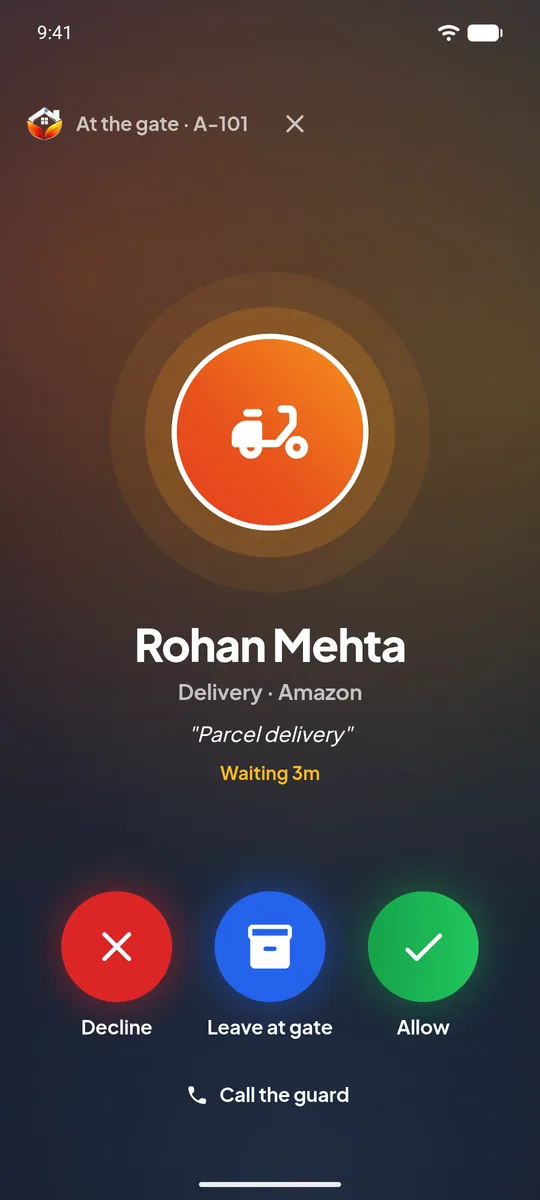
No more phone calls from the gate that go unanswered. The resident gets a call-style request on their own phone and answers in one tap.
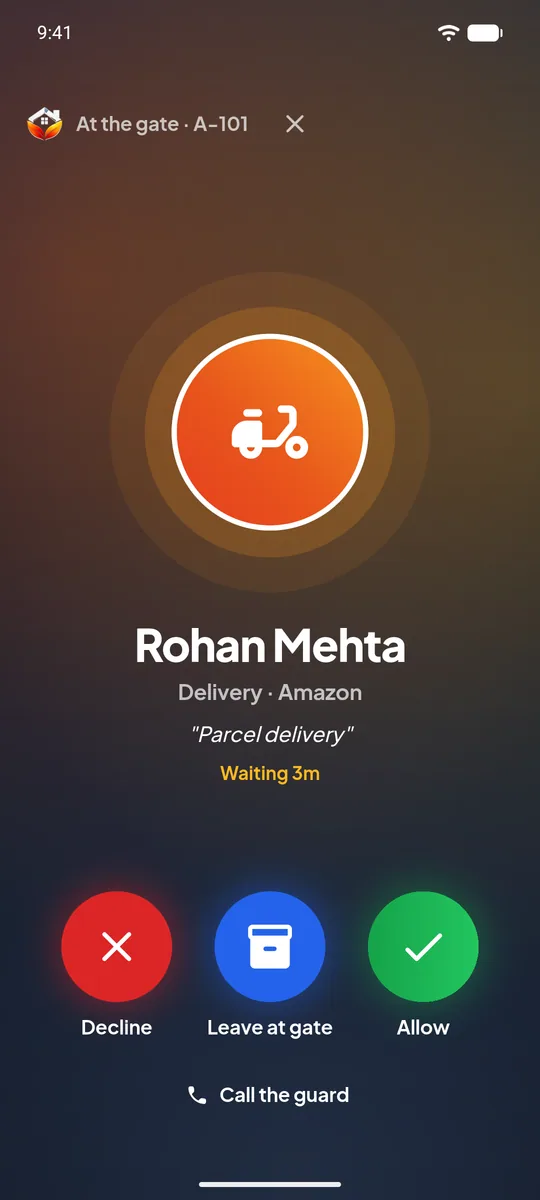
  • Rings like a call. A full-screen request opens even when the phone is locked, with the visitor's name, photo and purpose.
  • Allow, decline, or leave at gate. Delivery people can be told to leave the parcel with the guard.
  • Pre-approved guests. Residents invite guests in advance and share a pass that the guard scans.
  • Cabs, deliveries and service staff each follow the flow that suits them.
  • Entry history. The society keeps a record of who came in, when, and who approved.

More about visitor management

Visitor request screen with Decline, Leave at gate and Allow buttons
Security guards

A guard screen made for a busy gate

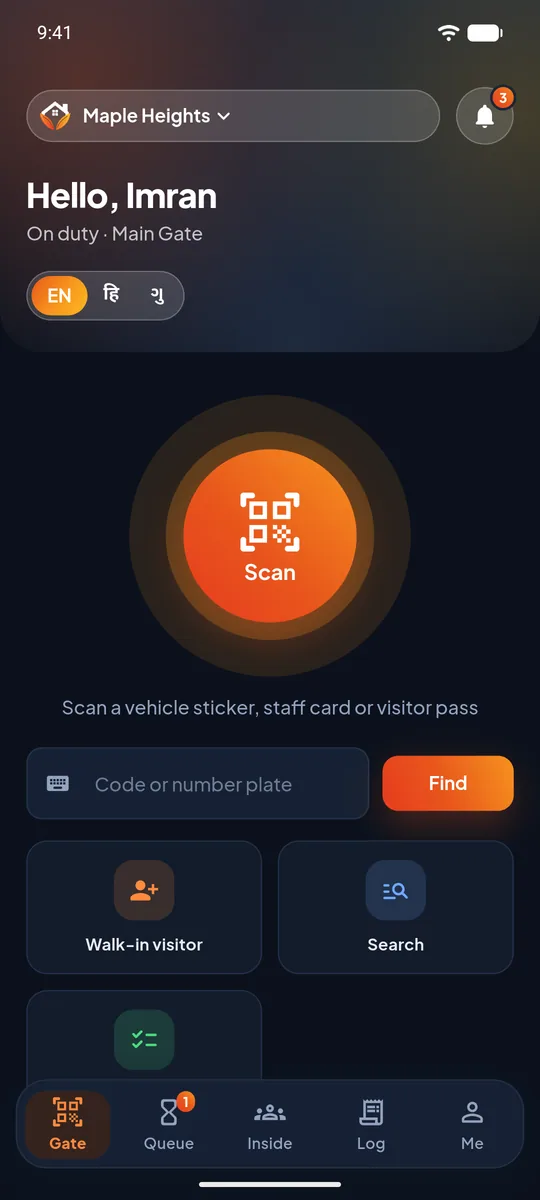
Guards get big buttons, their own language and only the tools the gate needs.
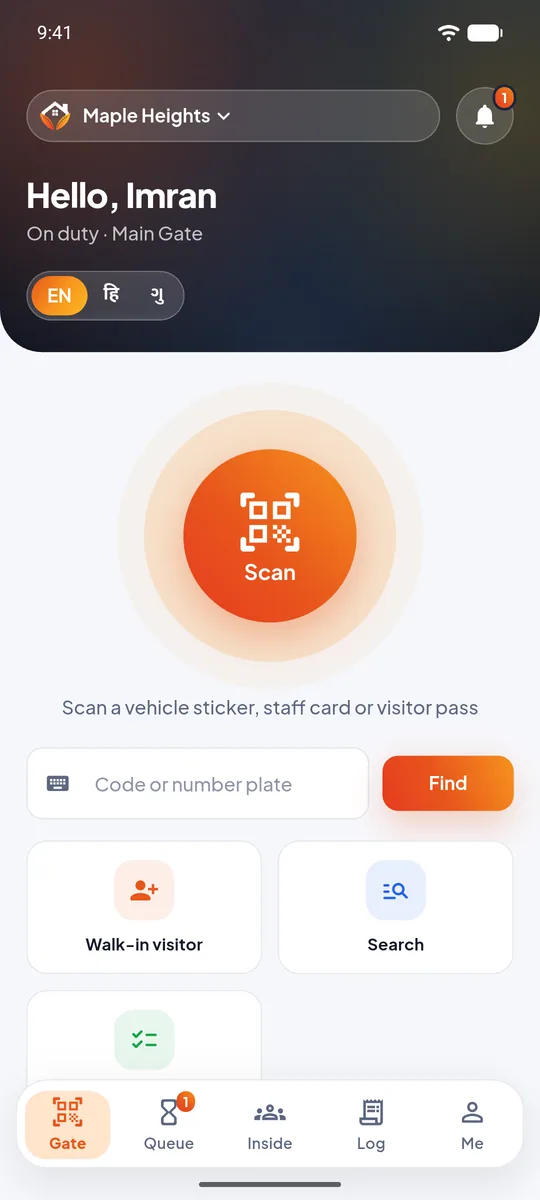
  • Scan. Visitor passes and resident vehicle stickers open in a second with the camera.
  • Search by number plate to find the resident's vehicle quickly.
  • Walk-in registration with a photo, a valid mobile number and the number of people with the visitor.
  • English, Hindi and Gujarati inside the app and in its alerts.
  • More than one society. A guard who works at two societies uses one login and one alarm set-up.

More about the guard app

Guard home screen
Emergencies

SOS that reaches every guard at once

When seconds matter, a message in a chat group is not enough. UrbanGate raises an alarm.

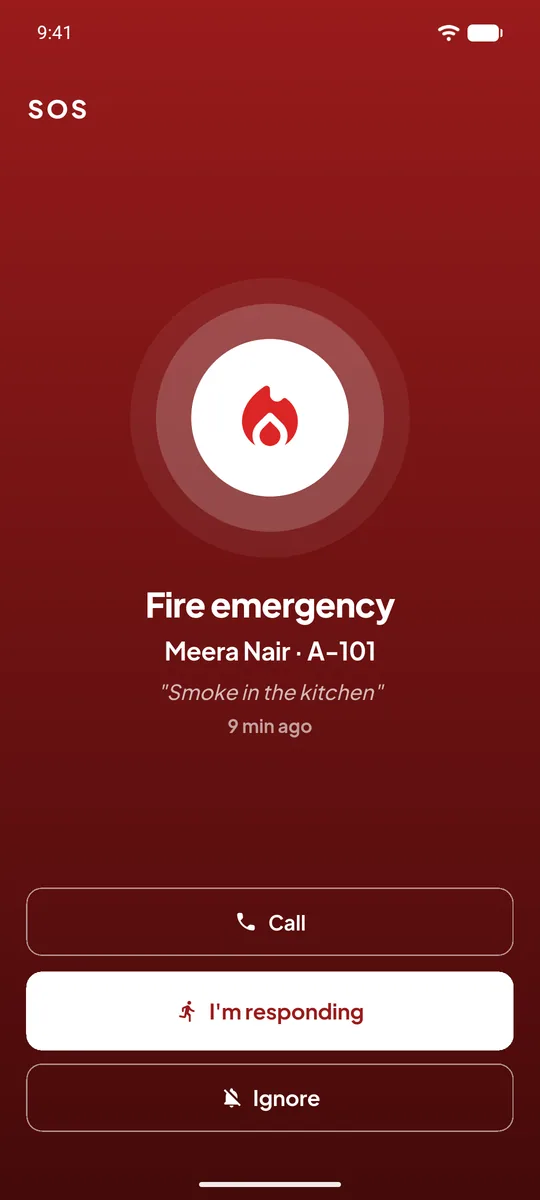
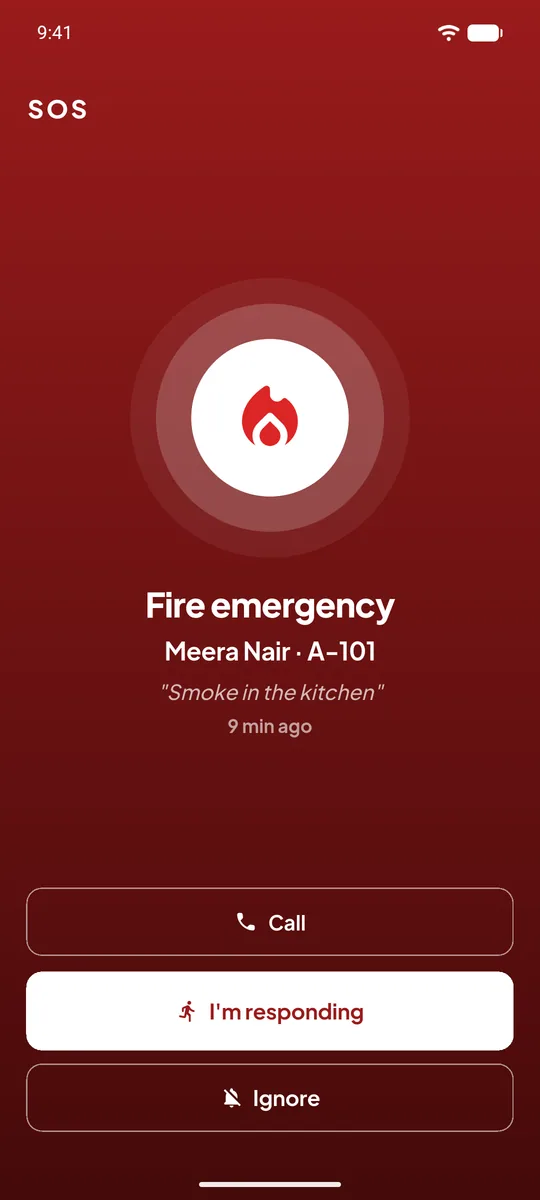
  • Types of emergency such as fire and medical, with the resident's name, flat and an optional message.
  • Full-screen alarm with a siren on every guard of the society and the committee members who handle SOS.
  • Respond or ignore. The first responder is shown to the others and the person who raised the SOS is told help is on the way.
  • Emergency numbers for police, fire, ambulance and your own society's contacts, always at hand.

UrbanGate helps your society respond quickly. In a real emergency, always call 112 as well.
More about SOS alerts

SOS alert screen
Guard tasks (SOP)

Jobs that must happen at a fixed time, with proof

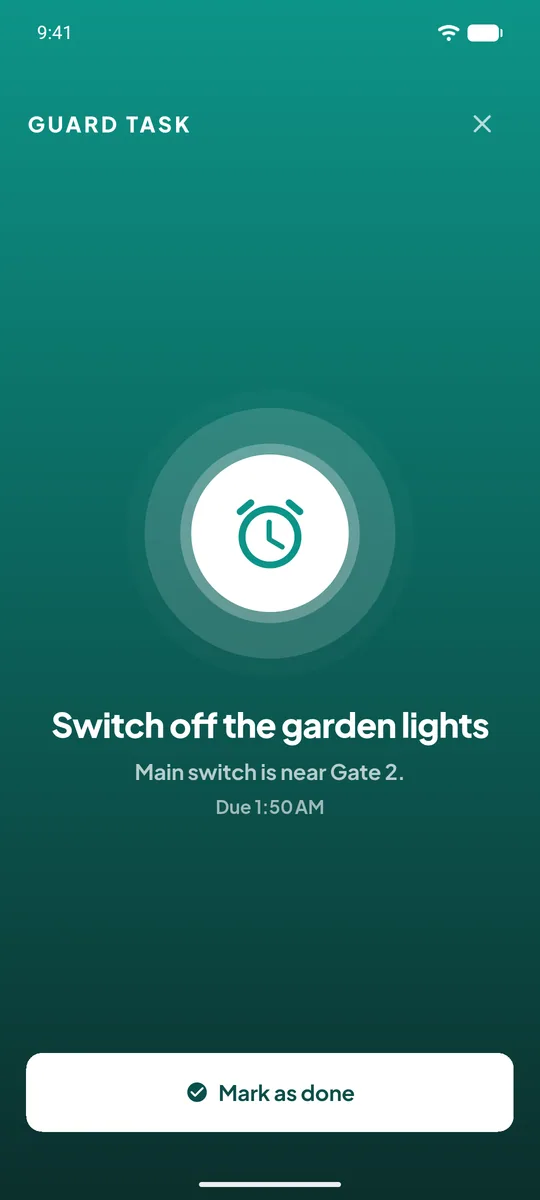
Switching a pump off, closing a gate, turning off garden lights. The office sets the task once. UrbanGate makes sure it is noticed.
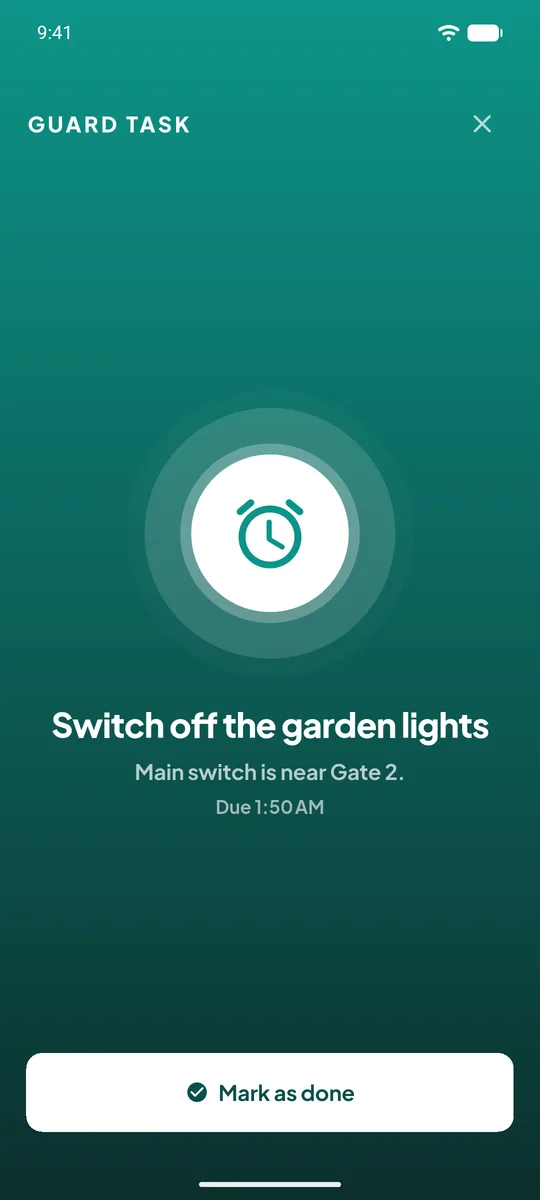
  • Set a time and days. Every day, or only on the weekdays you choose.
  • Its own alarm sound that is different from SOS, so guards know what is ringing without looking.
  • Rings until done. One guard marks it done and it stops for everyone. If nobody does, it repeats and the office is told.
  • A clear record of which tasks were done, by whom, and which were missed.

More about guard tasks

Guard task alarm
Maintenance

Maintenance dues, payments and receipts

A simple, careful flow that the committee can explain to any resident.
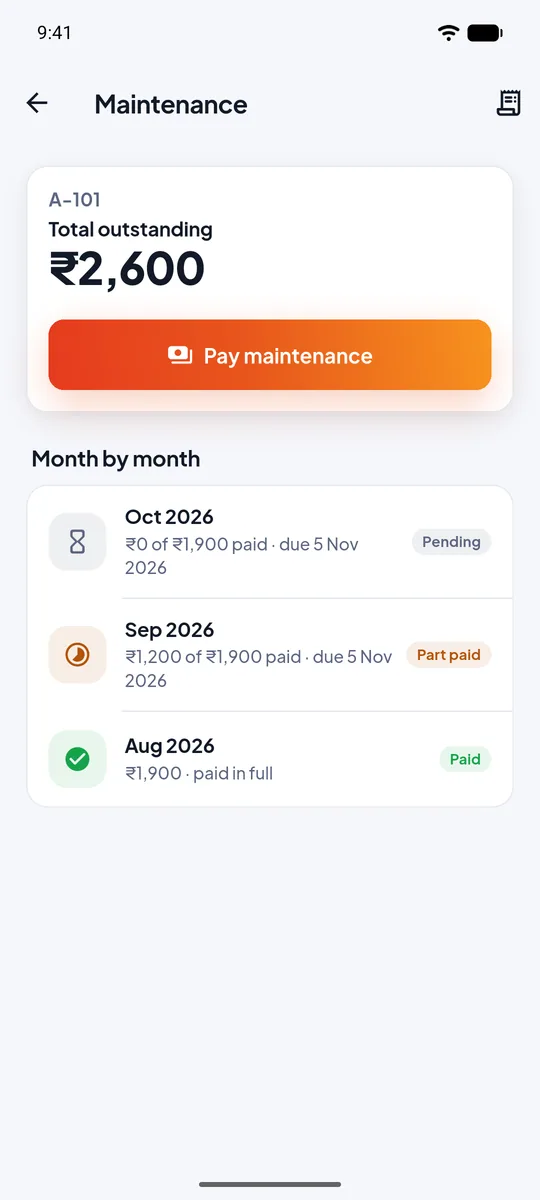
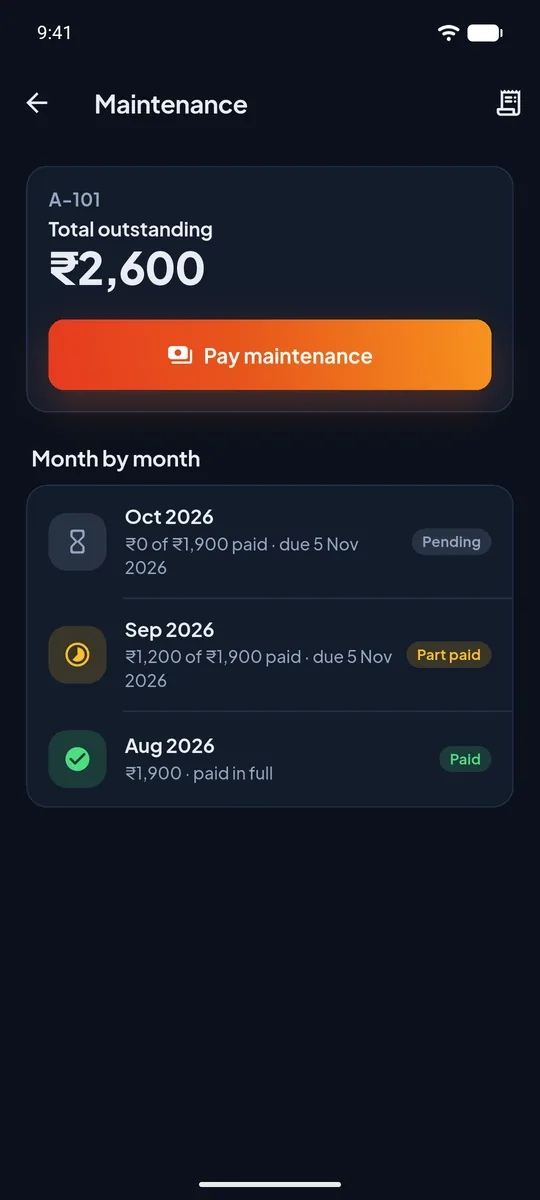
  • Automatic bills. Choose the amount per flat, how many months each bill covers (1, 2, 3 or a custom number up to 12) and the day it is made.
  • Owners pay, the office approves. The owner reports a cash or UPI payment with the date and reference. It counts only when the office approves it.
  • Oldest first. Part payments clear the oldest month first. Extra money is held as advance and used on the next bill.
  • PDF receipt for each approved payment with a running number, the months it paid and the balance. If a receipt fails to build, it is retried automatically.
  • Expenses and society books. Record what the society spends and see credits and debits in one place.
  • Reversals, not deletions. A wrong entry is reversed with a note, so the history stays honest.

More about maintenance billing

Maintenance dues screen
And everything around it

The rest of the toolbox

Call security

A list of the society's guards on the resident and committee dashboards. Tap a name to call.

SOS and call security

Polls

Ask the society a question and see results as people vote.

Complaints and helpdesk

Residents raise issues, the committee answers, and each one is tracked until closed.

Household and staff

Add family members, tenants and domestic staff. Society staff and guards have their own records.

Blocks and flats

Set up wings, floors and flats, and link owners and tenants to them.

Roles and permissions

Committee members get only the rights they need, such as managing guard tasks or approving maintenance.

Society office

An app and a web panel for the committee

The society office has its own app on the phone and a web panel for the big screen. Billing, approvals, gate activity and settings, with the same look and the same data in both.
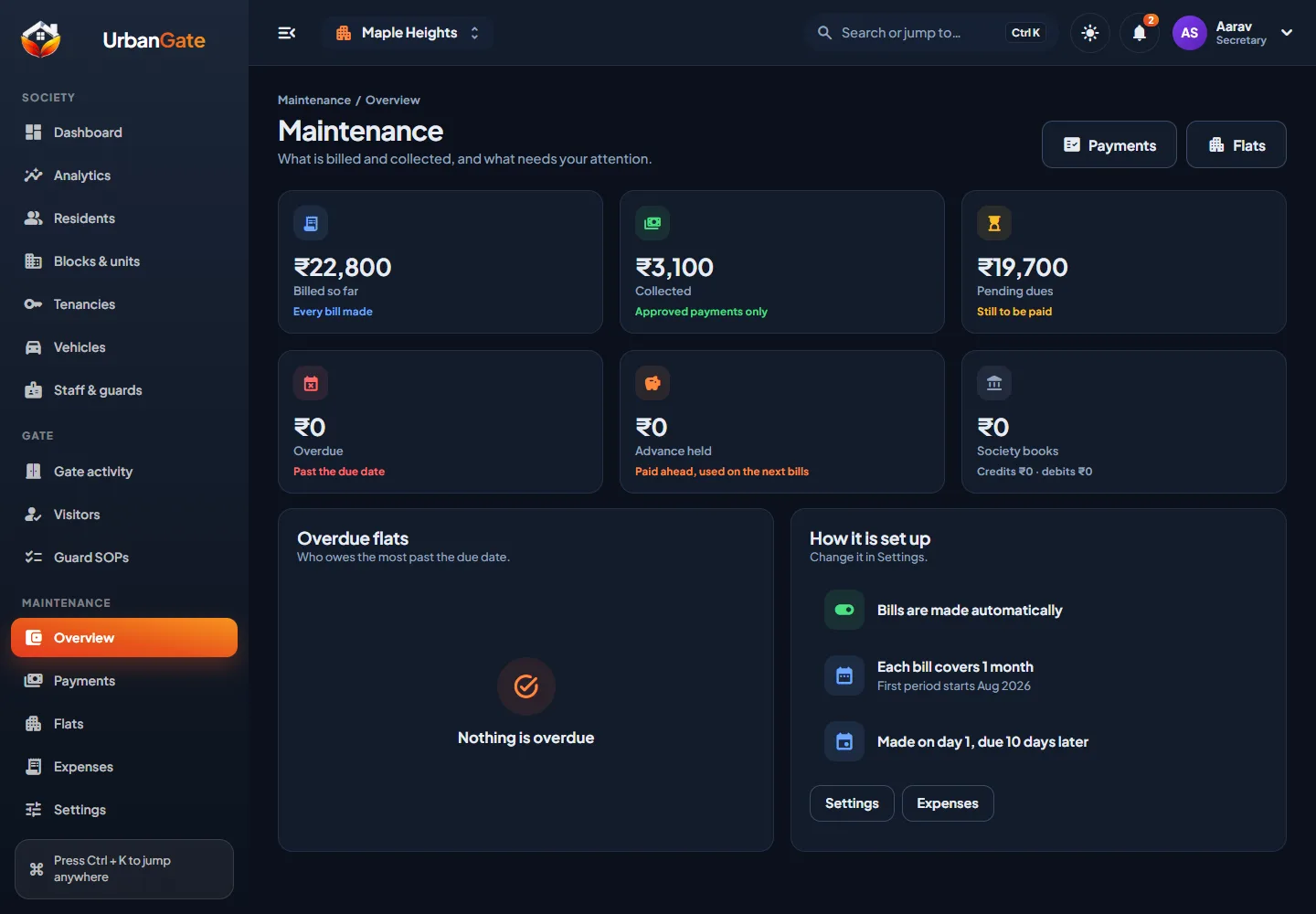
  • Dashboard and analytics for residents, visitors and dues.
  • Maintenance overview showing billed, collected, overdue and advance held.
  • Gate activity and visitor history for the whole society.
  • Guard SOPs with a run history of what was done and missed.

More about the office app and web panel

UrbanGate web panel maintenance overview showing billed, collected and pending amounts
Questions

About the features

Does the app work if the phone is locked?

Yes. Visitor requests, SOS alerts and guard tasks are sent as high-priority notifications that open full screen. To make sure the phone allows this, the app has a short set-up page that turns on notifications, full-screen alerts and display over other apps.

Can a guard work at two societies?

Yes. One login can belong to more than one society, and alerts show which society they came from. A guard cannot add a home as a resident.

Is there a limit on how many months one maintenance bill can cover?

A bill can cover 1, 2 or 3 months, or a custom number of months up to 12. The choice is made once for the society and applies to new bills.

What does a receipt contain?

A running receipt number, the society and flat, the amount, the mode (cash or UPI), the date, the months it was set against and the amount still due. It is a PDF that stays in the owner's app.

Request a demo